


Whether you’ve just created your first Google Business Profile (GBP) or you’ve been battling Google Business verification for months (maybe even years), you’re in the right place. With 15+ years of Local SEO experience, the Odd Dog team has seen almost everything when it comes to Google Business Profile verification. The good, the bad, the — mostly bad.
Through the years, we’ve picked up a thing or two about how to film a successful Google Business verification video, and we recently put every trick to the test for one of our own profiles. The four-month-long battle to get a new location profile approved almost broke us, but alas, we persevered and stand here before you to say that verification will never be that difficult again.
Let’s get into it.
What Is a Google Business Profile?
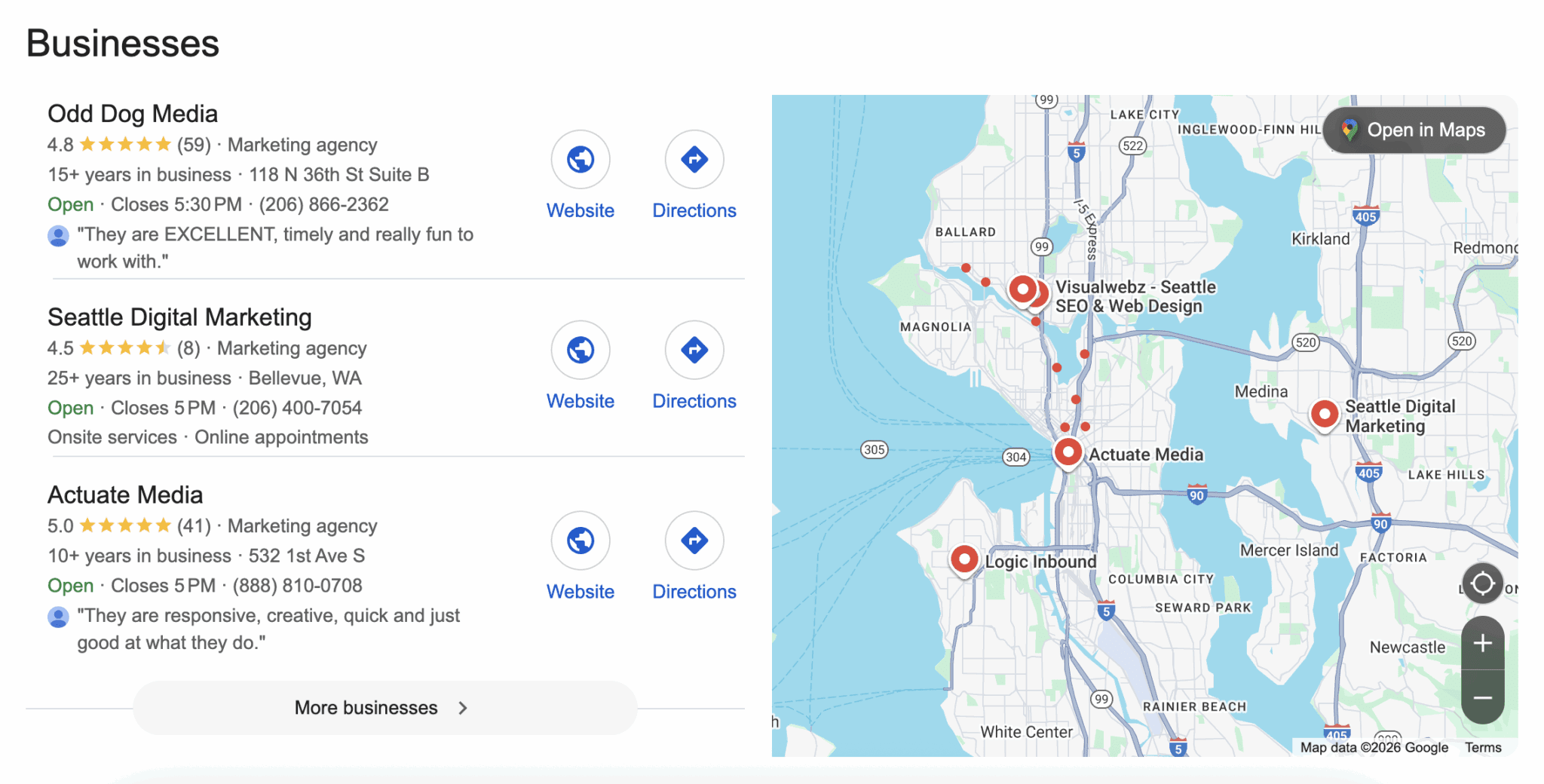
When using Google Maps or conducting a location-specific search on Google, you’re usually served a list of businesses located near your current location. This is known as the “Local Pack” and consists of Google Business Profiles.
Your business profile serves as a crucial point of discovery for your target audience and is a foundational element of Local search engine optimization (SEO.) It is essential to prioritize setting up your GBP listing and getting it verified as soon as possible.
Whether your listing is on Google, Bing, Yelp or another platform, you’ll most likely be met with a verification requirement before your business is visible to users. This can be in the form of receiving a postcard with a PIN, submitting a video, or simply having the platform crawl your website for details. In this blog post, we’ll be tackling what we consider to be the most challenging verification: Google Business Profile video verification.
If you’re looking for support optimizing your online profiles or are curious about how Local SEO can help your business, feel free to reach out!
Google Business Profile Verification
To verify your Google Business Profile, you are required to submit a video verification to Google proving your business exists at the listed location and that you have the authority to represent the business.
For best results and a quick approval, your Google business verification video should follow these guidelines:
- 30–60 seconds in duration (longer can work, but more on that below!)
- Show the interior & exterior of your business
- Have proper business signage
- Show access to an employee-only section by unlocking a door, operating a POS system, etc.
Failing to meet the above criteria will result in a failed verification attempt and may even lead to profile suspension. Both situations will prevent your profile from showing up on Google, and can create a headache of Google Support tickets, re-filming verification videos, or nixing it altogether and moving forward without a Google Business Profile. If you can hear our exasperation from there, it’s because we’ve lived this multiple times. So, trust us when we say that following the tips is essential to getting a profile approved.
Google Business Verification Tips & Tricks
Reduce Camera Quality Prior to Filming
The standard recommendation is to limit your verification video to 30–60 seconds. This has less to do with video length and more to do with the actual file size of your video when you upload it for review.
Reducing the camera quality on your phone is an easy but critical step to a successful upload. This is relevant not only for businesses in high-rise buildings, since those videos are often longer than 60 seconds, but also for those in stand-alone offices.

This allows you to film a slightly longer video (beyond the recommended 30–60 seconds), which can enable you to capture more expansive footage, covering all the required content.
How to reduce camera quality on an iPhone
- Settings → Camera
- Record Video → 720p HD at 30fps (or whichever is the lowest available quality)
How to reduce camera quality on an Android
- Camera → Settings
- Resolution & Quality → 720p HD at 30fps (or whichever is the lowest available quality)
Download The Google App
We’ve found that navigating verification is easier to do via the Google app, rather than navigating through Google Maps. Simply download the app and log in to the Google account that has access to or owns the Google Business profile you want to verify.
From there, simply search for Google Business Profile, locate your listing, and click “Get Verified”. As a reminder, you cannot film a video with your camera and upload it later. It must be filmed and submitted through the “Get Verified” prompt.
Grant Google Precise Location Access
Beyond the video submission, Google uses the metadata found in your video file to verify that your filming took place and the correct location was used. When logging in to complete verification, Google will prompt you to share access to your camera, microphone, and location services.
How to grant Google Precise Location Access on an iPhone
- Settings → Apps → Google
- Location → While Using the App or Always
- Toggle on: Precise Location
How to grant Google Precise Location Access on an Android
- Settings → Location → App Permissions
- Select “Google” → While Using the App or Always
- Enable: Precise Location

Once you’ve submitted your verification, feel free to turn these settings back to your preferred settings.
Practice Your Video Before Filming and Review the Recording Before Submitting
Practice makes perfect, and perfect is practically the standard for a Google Business verification. We recommend scouting your location and conducting a practice run-through of your verification video before submitting, to ensure you capture all the necessary elements in one well-paced, continuous shot.
Remember, even with a reduced camera quality, if your video is too long, it will not upload. Practice is essential to ensure an efficient video, so be sure to ask yourself the following questions to ensure everything is in place before filming begins.
- Where are the relevant street signs to showcase your location? Is this a busy place? If so, try to film at a time when it’s less busy to avoid capturing other people’s faces.
- Does your building have a precise street number, or is there a visible building name that you can film instead?
- If opening a door with a key, pull the key out in advance; don’t try and fumble for it while you’re filming.
- Do you have a strong wifi connection throughout your entire video route? If not, we recommend turning wifi off and sticking to cellular data! This may conflict with what other sources suggest, but it is what worked for us.
Google Business Profile Verification for Businesses in High Rises
Getting a Google Business Profile verified can be challenging, regardless of the type of building in which your office is located. We have found that high-rise buildings can be especially difficult for video verification. Following the above steps is essential to getting a profile verified. Still, we have a few additional recommendations to set yourself and your profile up for success when conducting a Google Business Verification video in a high-rise building.
Get Permission From the Property Manager Prior to Filming in Shared Spaces
When you are located in a high-rise, you’ll need to begin your verification video outside of the building to capture street signs and surrounding landmarks. You’ll then need to enter the building, most likely through a lobby or shared space. Often, filming restrictions are in place due to privacy concerns, so you may need to obtain permission from the building’s property manager to film.
Get listed in the Business Directory
Having proper signage is essential to Google business verification. If your building has a physical or digital directory, be sure your business is represented there, or take the necessary steps to get listed.
Pro tip: Include footage of your business listing in the directory during your video verification!
How Long Does Google Business Verification Take?
So, you’ve submitted your video. Now what? Google typically states that it will take anywhere from 3–5 business days to review video verification submissions, but we’ve found that it can sometimes be sooner (especially for rejections). You won’t always be notified if your profile verification was successful, so be sure to check your profile regularly during that 3–5 business day time period for the blue verification check mark.
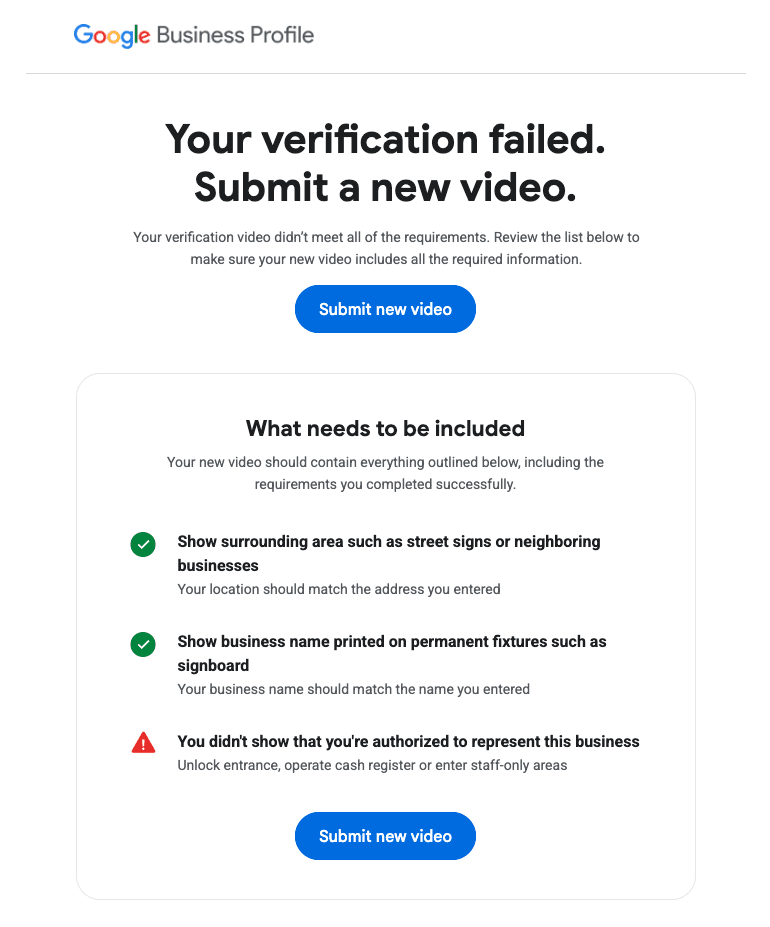
If your verification fails, Google will typically provide a reason. If it has to do with your video itself, they will highlight which of the three requirements you were missing (proof of location, signage, and proof of authority to represent the business). If that is the case, we recommend reviewing the above tips & tricks and trying again.
If your verification fails for another reason, you may face a temporary suspension and need to submit an appeal or contact Google Business Profile support.
Why Trust Odd Dog with Your Google Business Profile?
Not only do we have an expert Local SEO team with over 15 years of experience, but this guide was established through our own trial and error of getting a Google Business Profile verified during our recent expansions to Portland, OR, and Salt Lake City, UT. We haven’t just recommended these steps, we’ve tested and proved they work!
If you made it this far, we wish you the best of luck getting your Google Business Profile verified. And if you’re ready to call in backup, we’re here to help.