

Updated April 2026

Asking for online reviews can be tough. It’s easy to feel like you’re begging — hands and knees on the ground — for something, anything, that will make your locally owned business seem more legitimate online. But with the right Google review email template and a solid strategy behind you, knowing how to ask for customer reviews becomes a whole lot less daunting.

That doesn’t sound so bad, does it?

Before diving into the templates, let’s talk about why online reviews matter in the first place and what to keep in mind before you hit send.

Why Online Reviews Matter for Local Businesses

Online reviews are one of the most powerful trust signals a local business can have. According to research, the vast majority of consumers read reviews before making a purchasing decision, and a strong collection of Google reviews can directly impact where your business appears in local search results.

In other words, reviews aren’t just good for your reputation; they’re good for your online visibility. Every new Google review is a signal to search engines that your business is active, credible and worth showing to potential customers. Additionally, as AI-powered search continues to change how people find local businesses online, reviews are becoming an even bigger factor in whether your business gets surfaced in AI-generated results. That’s why knowing how to ask for customer reviews isn’t just a nice-to-have skill. It’s a core part of running a competitive local business.

3 Tips to Keep in Mind Before You Send an Email

Before you start drafting an email to your best customers, there are a few ground rules to keep in mind.

  • Ask at the right time. For best results, ask your customers for feedback right after they’ve finished working with you and once you’re sure they’re happy with your service. Timing is everything. A happy customer who just had a great experience is far more likely to take the time to leave a review.
  • Use the template as a guide. Whether you use one of the Google review email templates below or build your own, make sure your message reflects your brand voice and feels as natural as possible. Add your own style and flair to make it more personal.
  • Put the focus on the customer. Many email templates out there make the ask all about the business. The thing is, most customers don’t care about you. They care about themselves. Frame the ask around them, and you’re sure to get better follow-through.

Now that those ground rules are set, here are three Google review email templates you can start using today.
How to Ask for Customer Reviews: 3 Google Review Email Templates That Work

Email No. 1: Appeal to Their Desire to Help Others 

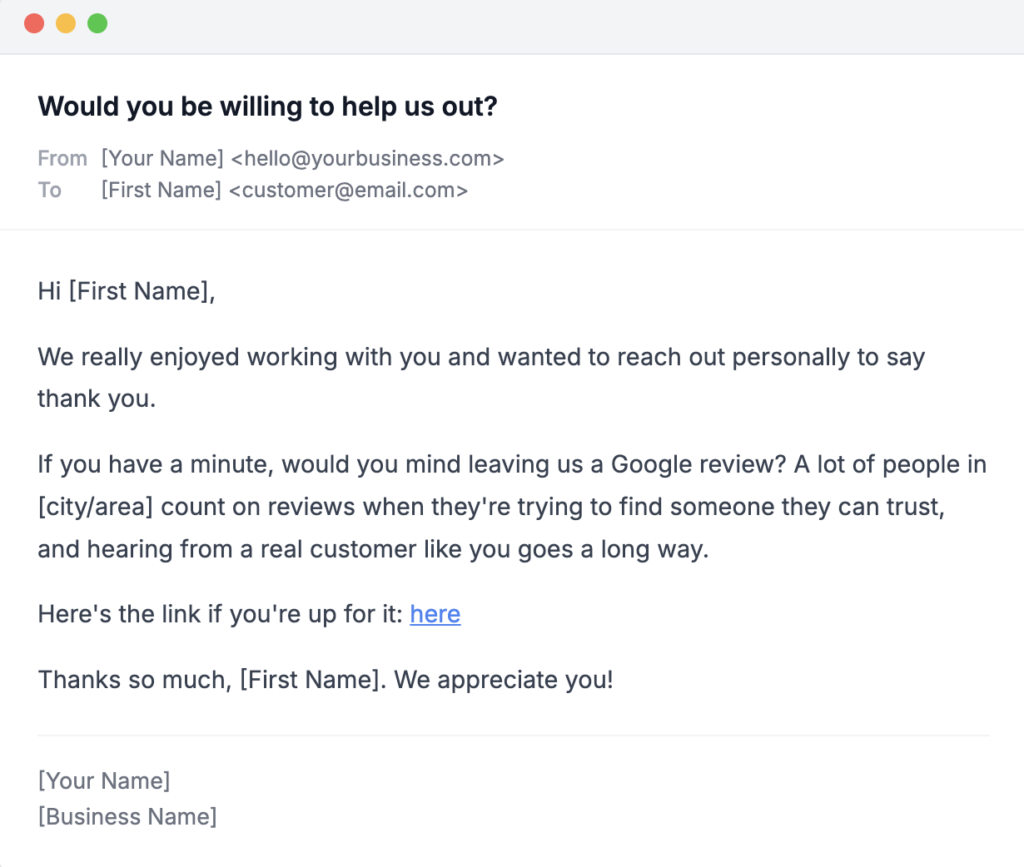
An email template asking for a customer review with the subject line "would you be willing to help us out?".

Suggested copy: 

Hi [First Name],

We really enjoyed working with you and wanted to reach out personally to say thank you.

If you have a minute, would you mind leaving us a Google review? A lot of people in [city/area] rely on reviews when they’re trying to find someone they can trust, and hearing from a real customer like you goes a long way.

Here’s the link: [direct link]

Thanks so much, [First Name]. We appreciate you! 

[Your Name]
[Business Name]

Why this Google review email template works:

This first template works because it frames the ask around the customer, not the business. Rather than opening with “we need a favor,” it leads with a genuine thank you and builds from there. By the time the review request arrives, the reader already feels appreciated rather than put on the spot. Tying the ask to helping others in their community adds a layer of meaning that a straightforward “please leave us a review” never quite achieves, and it’s the kind of thing that actually makes someone pause and think, “yeah, I can do that.”

Email No. 2: Give Them a Voice 

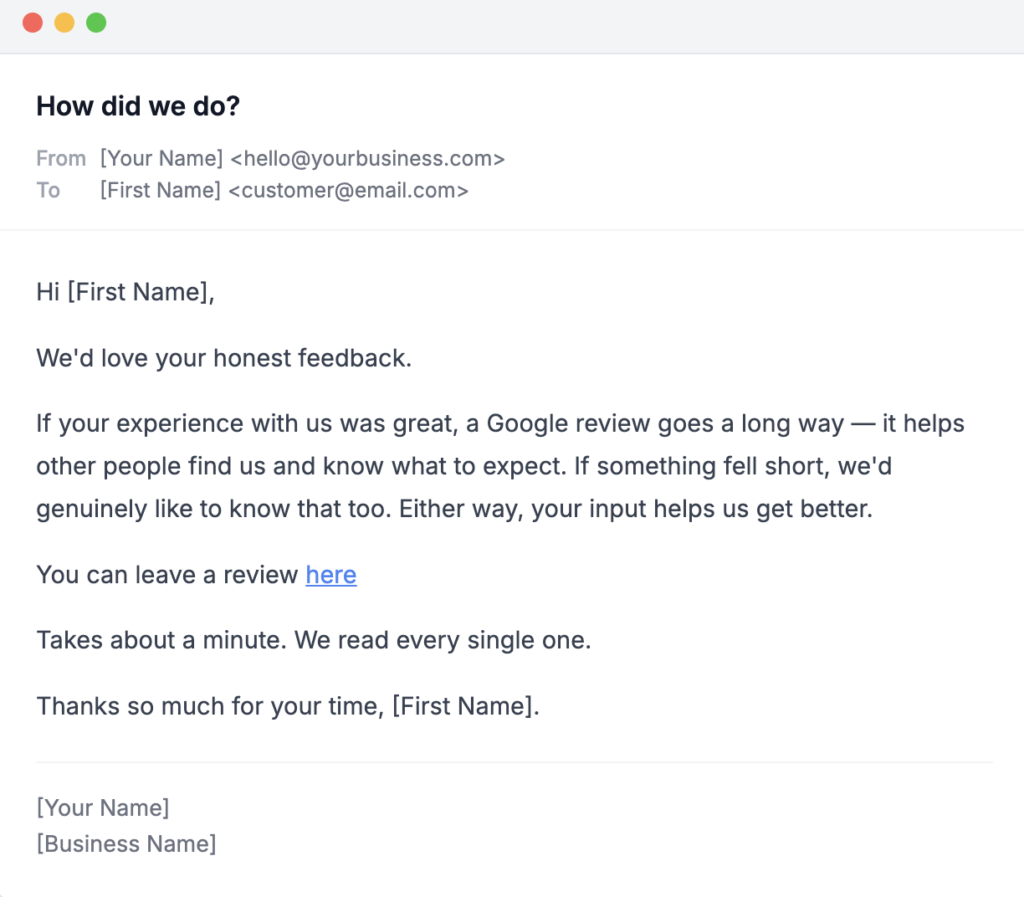
An email template asking for a customer review with the subject line "How did we do?".

Suggested copy: 

Hi [First Name],

We’d love your honest feedback.

If your experience with us was great, a Google review goes a long way — it helps other people find us and know what to expect. If something fell short, we’d genuinely like to know that too. Either way, your input helps us get better.

You can leave a review here: [direct link]

It takes about a minute. We read every single one.

Thanks so much for your time, [First Name].

[Your Name]
[Business Name]

Why this Google review email template works:

This second template appeals to your customer’s desire for a real voice with a level of honesty that most businesses shy away from. By openly welcoming both constructive and positive feedback, you signal confidence and authenticity. Customers notice that. You’re not just asking for a five-star rating, you’re saying their actual experience matters. That distinction builds trust and tends to generate more thoughtful, genuine reviews.

Email No. 3: Short, Sweet and to the Point

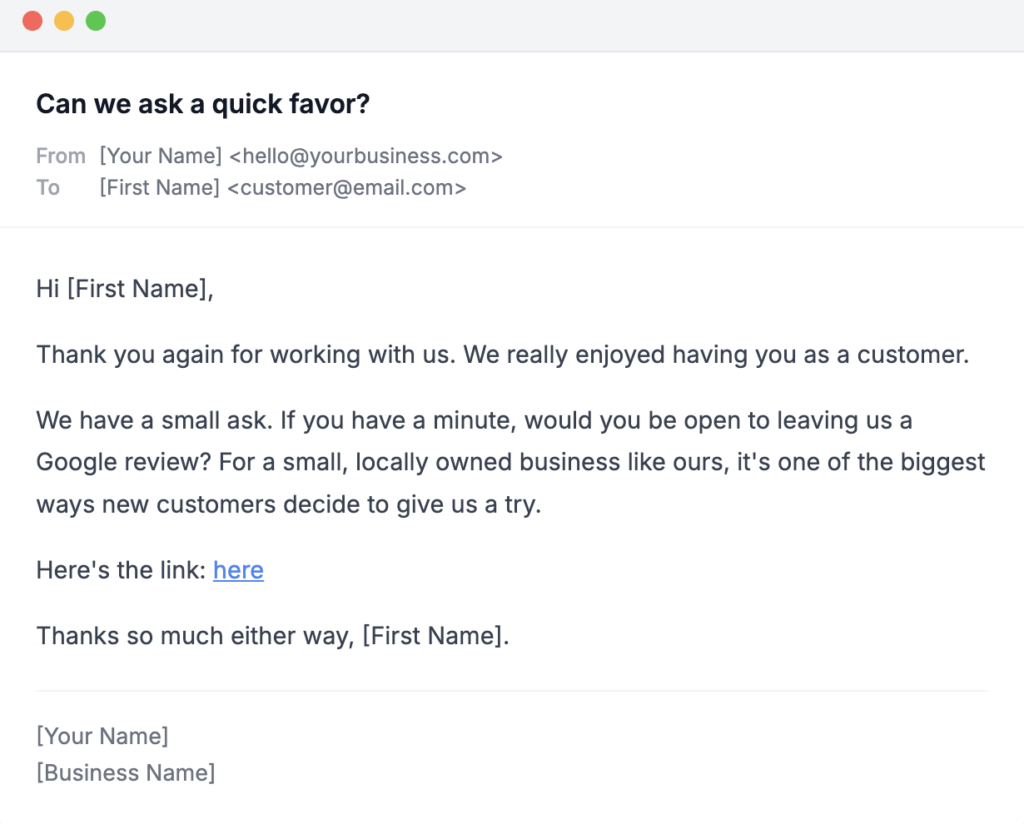
An email template asking for a customer review with the subject line "Can we ask a quick favor?".

Suggested copy: 

Hi [First Name],

Thank you again for working with us. We really enjoyed having you as a customer.

We have a small ask. If you have a minute, would you be open to leaving us a Google review? For a small, locally owned business like ours, it’s one of the biggest ways new customers decide to give us a try.

Here’s the link: [direct link]

Thanks so much either way, [First Name].

[Your Name]
[Business Name]

Why this Google review email template works:

This third template works because it keeps things simple. It opens with a genuine thank you, makes a clear and direct ask, and closes without any pressure or over-explanation. There’s no lengthy justification for why reviews matter and no performative enthusiasm — just a short, honest note from a real business to a real customer. For small business owners who feel uncomfortable asking for reviews, this is the one to start with. It reads like a quick note from someone who genuinely valued the experience and just wants to say so.

Should You Automate Your Review Request Emails?

If you’re sending review request emails one at a time, manually, after every single job, that’s going to get old fast. The good news is that most email marketing platforms and CRM tools make it easy to automate the process so the right email goes out at the right time without you having to think about it.

Here’s how a basic review request automation works:

  • Trigger: A job is marked complete, an invoice is paid or a project is closed in your CRM or scheduling software.
  • Delay: Research shows timing varies by industry, but the key is to reach out while the experience is still fresh. Not so soon that your customer hasn’t had a chance to form an opinion yet, and not so late that the memory has faded. 

    For quick, transactional experiences like a restaurant meal, a salon visit or an entertainment outing, asking within a day or two tends to work well. For services where the results take a little longer to show up, like a home renovation, a landscaping project or a cosmetic treatment, giving it a few days to a week before reaching out is the smarter move. The goal is always the same: catch them at the moment when the value of what you provided has fully landed.

  • Email: One of the templates above goes out automatically, personalized with the customer’s first name and a direct link to your Google Business Profile review page.
  • Follow-up: If no review is left within 5-7 days, a single follow-up email can be sent automatically — brief, no pressure, just a friendly reminder.

Tools like Mailchimp, HubSpot or Klaviyo make this kind of automation accessible for small businesses without a dedicated marketing team. If you’re using a field service management tool like Jobber or Housecall Pro, review request automation may already be built in.

The key is to set it up once and let it run. A consistent, automated review strategy will always outperform a manual one (simply because it never forgets to ask).

Frequently Asked Questions About Asking for Google Reviews

  • Is it okay to ask customers for Google reviews? Yes! In fact, Google encourages businesses to ask customers for reviews. The key is to ask genuinely and avoid offering incentives in exchange for positive feedback, as this violates Google’s review policies.
  • When is the best time to send a review request email? The best time to send a Google review email template is immediately after a positive interaction, while the experience is still fresh in the customer’s mind. The sooner you ask, the higher your chances of getting a response.
  • How many times should I follow up? One follow-up is generally acceptable. More than that, risks coming across as pushy and could damage the customer relationship you’ve worked hard to build.
  • Should I respond to my Google reviews? Absolutely. Responding to reviews, both positive and negative, signals to Google and to potential customers that you’re engaged and care about the experience you provide.

Online Reviews are Just One Piece of the Puzzle

A steady stream of Google reviews can do a lot for your local business, but they’re just one piece of a broader local search engine optimization (SEO) strategy. How your business appears in search results, whether you show up in the local map pack and how your website is optimized all play a role in turning online visibility into real customers walking through your door.

At Odd Dog, we help locally owned businesses build the kind of online presence that drives real results. If you’re ready to go beyond reviews and take your local SEO strategy to the next level, we’d love to help.